A pause with a purpose.
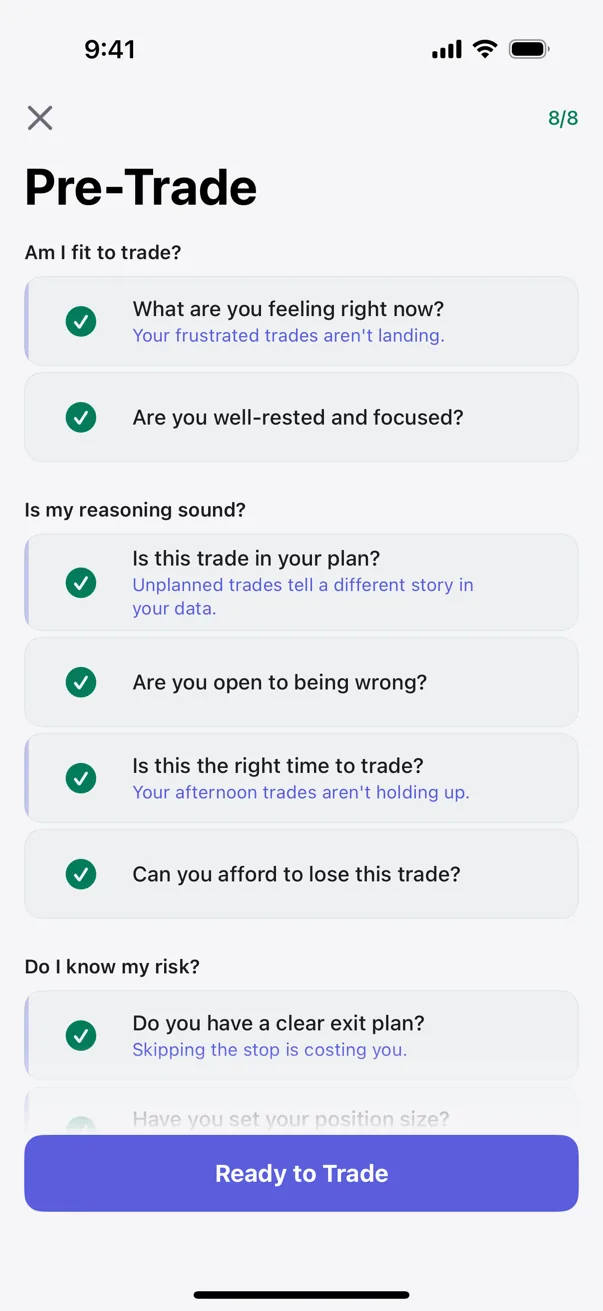
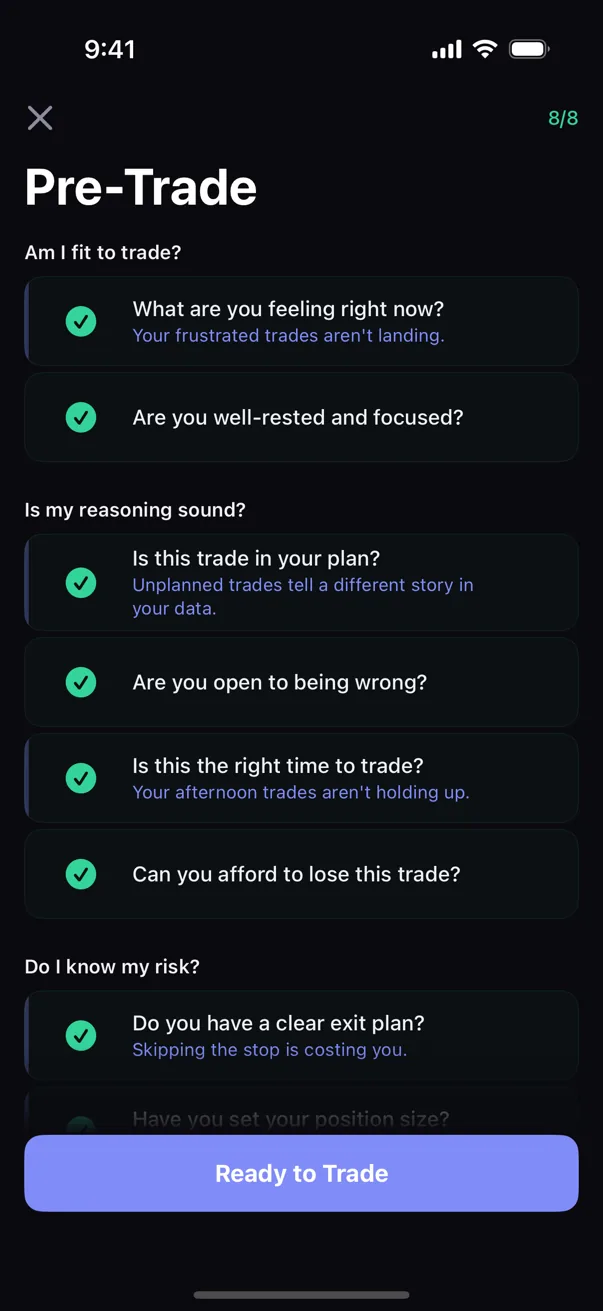
Eight readiness questions make the plan explicit. A "no" is counted, not blocked. When your own history supports an observation, an adaptive prompt can place it in view before execution.
Why a pre-trade checklist beats post-trade journaling
Post-trade journaling captures what happened. A pre-trade checklist puts relevant questions in view before the decision is final. Kyra can make those questions personal as your logged history reveals recurring behavior.
The checklist is also how discipline becomes a measurable behavior — plan-adherence is something you set when calm and review later, not a trait you either have or don't.
The readiness check
Eight questions, grouped as the three things you are really asking yourself before an entry. Each is a plain yes/no: tap once for yes, again to flag a concern, a third time to clear.
Are you trading from a clear emotional state? Are you well-rested and focused?
Do you have a plan for today? Have you planned for being wrong? Are you waiting for your setup? Are you over your last loss?
Do you have a clear exit plan? Do you know your size limit per trade?
A "no" is a flag, not a block
Answering "no" doesn't stop the trade — it gets counted. Flag a few and the checklist says so plainly: the risks you flagged. Complete it clean and the button reads Ready to Trade; flag three or more and it turns red and reads Trade Anyway, naming the override for exactly what it is. Nothing is prevented — the screen confirms the checklist is complete, it never approves the trade or recommends execution. You simply can't take the trade while pretending you didn't see the risk. That is the whole design, and why a checklist should flag, not lock makes the case for it.
How adaptive items appear
Adaptive items are the Premium layer — up to five questions personalized to patterns Kyra has already surfaced from your own history. They appear only once a pattern has enough evidence behind it.
Impulsive trades have underperformed your baseline.
Is this planned, or are you reacting?
Review the trade and decide for yourself.
What the checklist does NOT do
- No block — it never stops you from taking a trade
- No trade score or setup grade
- No real-time price feeds
- No urgency timer
- No completion streaks or rewards
Free baseline, Premium adaptation
The eight readiness questions are free. Premium adds up to five personalized items drawn from patterns Kyra has surfaced from your history. The checklist stays a process tool, never a permission slip — and your answers stay on your device. They are never used to score you.