The short version: Open Today → tap the gear → scroll to Explore → tap Try Demo Mode. While Demo Mode is active, Kyra shows a Demo Mode · Sample data banner. Tap Exit in that banner, or use Settings → Explore → Exit Demo Mode, to return to your own journal.
1. Enter Demo Mode
- Open Today.
- Tap the gear in the top-right corner to open Settings.
- Scroll to the Explore section.
- Tap Try Demo Mode.
Kyra replaces the visible journal with a separate sample dataset. Your real trades are not copied into the demo journal, and the sample trades are not inserted into your real journal.
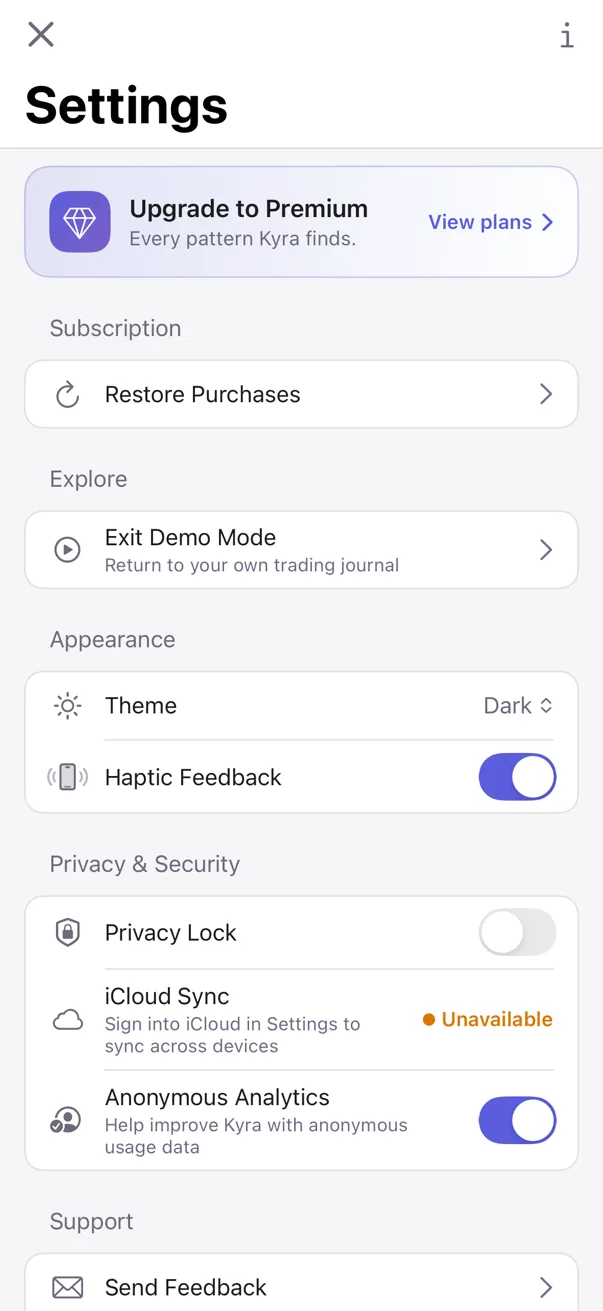
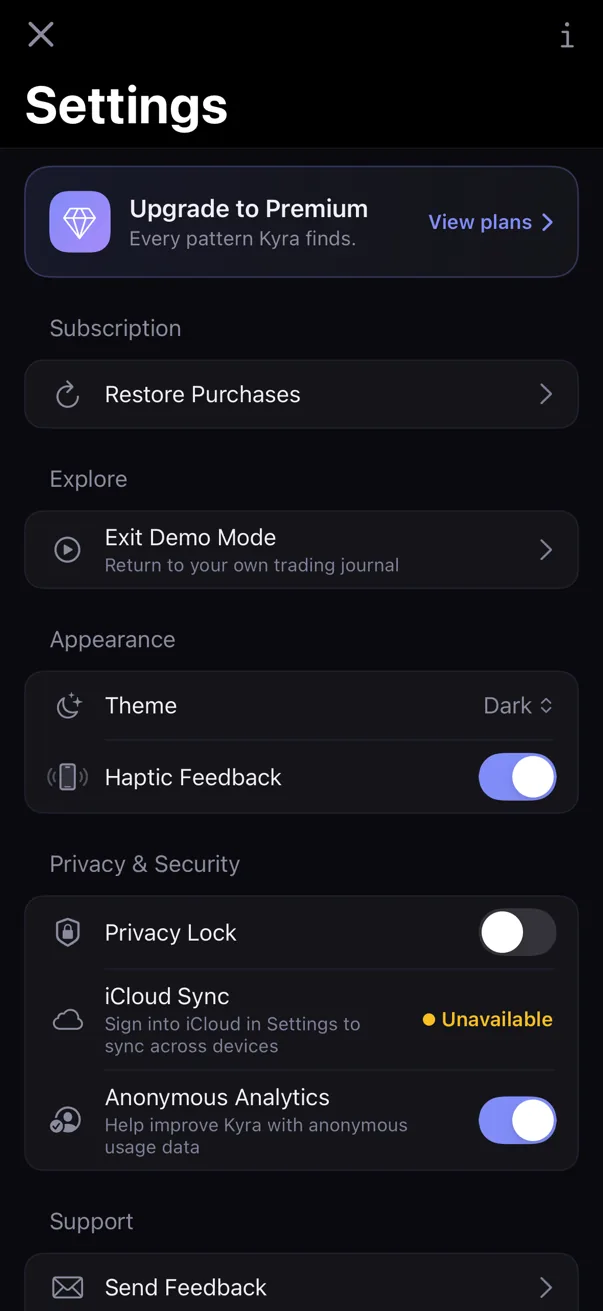
2. Check that you are actually in Demo Mode
A banner appears above the app content and reads Demo Mode · Sample data. Its supporting copy explains that sample trades are for exploration and that Exit returns you to your journal.
If you do not see that banner, you are not in the demo session.
3. Explore the app normally
Demo Mode renders the regular Kyra app against the sample journal, so you can move through the same major surfaces you would use with your own data:
- Today to see a populated daily view.
- Journal to browse sample trades and dates.
- Insights to see what populated patterns and evidence can look like.
- Trade Detail and other drill-down views to understand the app before importing or logging your own history.
The point of Demo Mode is exploration, not setup. You do not need to preserve anything you do inside the sample journal.
4. Know what is isolated from your real journal
The sample journal lives in a separate temporary data container. When you exit Demo Mode, Kyra returns to your real journal and the demo container is retired rather than merged into your data.
To avoid misleading actions against sample records, Kyra hides the normal Data section while Demo Mode is active. Import, Export, and Recently Deleted are therefore unavailable in the demo session.
Deleting all journal data is also disabled while Demo Mode is active.
5. Some app preferences can still persist
Demo Mode isolates sample journal content, but it is not a throwaway copy of every app preference. Settings such as appearance, haptics, Privacy Lock, and analytics preference are designed to write through to your real settings profile so the app does not unexpectedly revert those choices when you exit Demo Mode.
If you are only experimenting with sample trades, stay in Today, Journal, Insights, and trade-detail flows. If you change a preference in Settings, expect that preference to remain after exit.
6. Exit Demo Mode
You have two straightforward exits:
- Tap Exit in the Demo Mode · Sample data banner.
- Open Settings → Explore → Exit Demo Mode.
Kyra then returns to your own journal. Your real data was never replaced by the sample dataset.
If Demo Mode does not behave as expected
I cannot find Import, Export, or Recently Deleted
That is expected while Demo Mode is active. Exit Demo Mode first, then reopen Settings. The Data section returns for your real journal.
I changed the theme and it stayed changed after I exited
That is expected. Some app preferences deliberately persist across Demo Mode because they belong to the app itself, not to the sample journal.
I am worried that the sample trades replaced my journal
Exit Demo Mode. Kyra swaps back to your real data container rather than merging the sample dataset into it. If your own journal still does not appear after exit, do not delete or reinstall the app. Contact support@kyratrading.app.
I do not see the Demo Mode banner after tapping Try Demo Mode
Return to Settings and check whether the Explore row now says Exit Demo Mode. If it still says Try Demo Mode, the demo session did not start. Try once more; if it repeatedly fails, contact support.
Verified against Kyra 1.6 (build 54), released August 20, 2026. The paired screenshot is a real Kyra 1.6 Demo Settings capture in light and dark mode.