The short version: Tap Insights in the tab bar → read the lead insight → tap a pattern to open its detail screen → use the info button at the top right for Pattern strength or How this works.
1. Open Insights
- Open Kyra on your iPhone.
- Tap Insights in the tab bar.
Insights is not a static dashboard. It changes as your journal changes, so a new account and a mature journal will not show the same content.
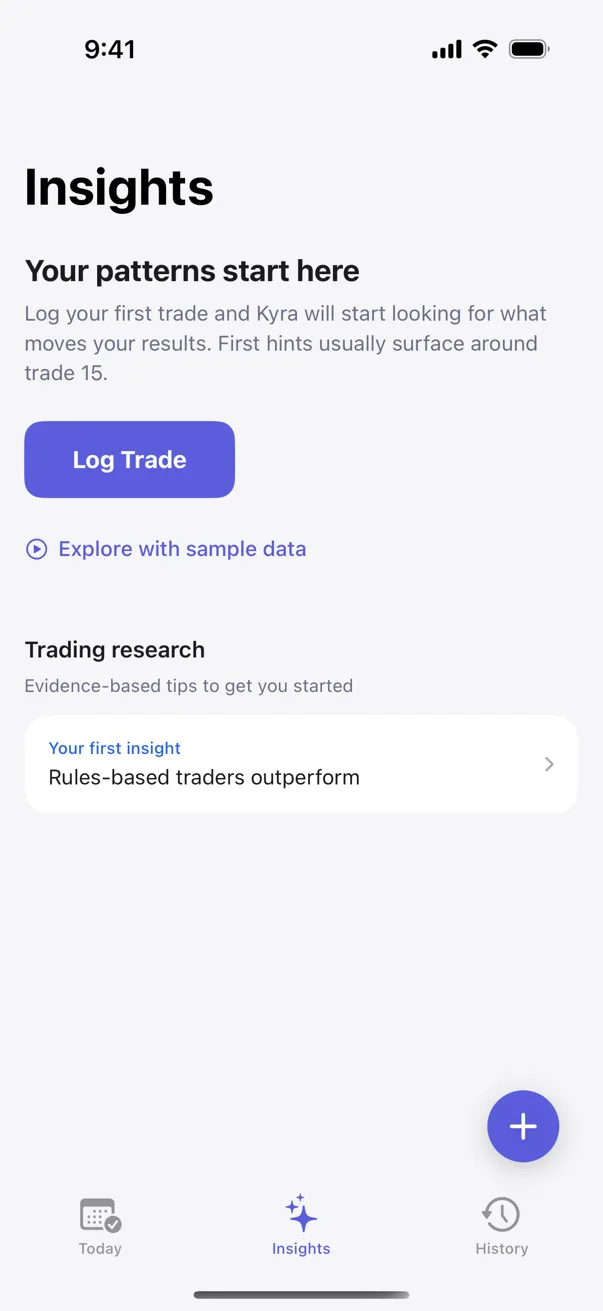
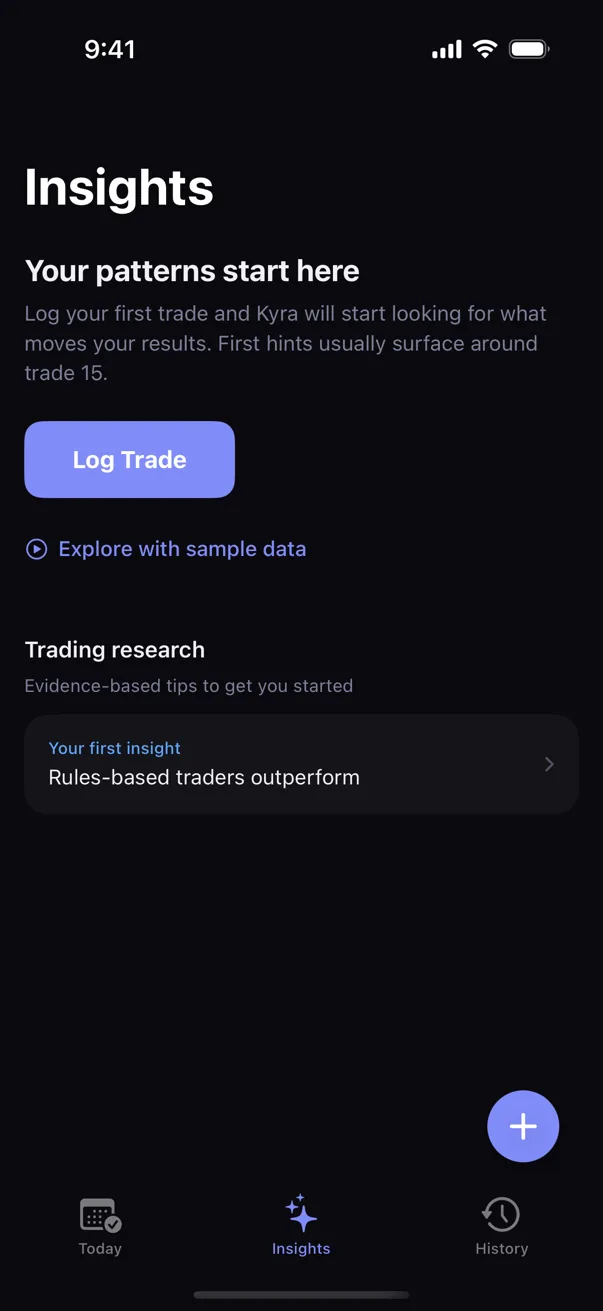
2. Do not expect a pattern immediately
When your journal is still small, Kyra may show a progress state, early observations, or a message that it is still looking for repeatable evidence. That is expected.
A missing pattern does not mean Insights is broken. Kyra avoids turning a handful of trades into a confident-sounding conclusion. Keep logging the facts that matter to you, including context such as emotion, execution, setup, and planning; trade timing comes from the trade record itself.
3. When a pattern appears, read the label as evidence maturity
Pattern labels describe how mature the evidence is. They are not trade recommendations, confidence scores about the market, or promises about what will happen next.
- Tracking — Kyra is following an early relationship while evidence is still limited.
- Emerging — the relationship is becoming visible, but uncertainty is still meaningful.
- Developing — more evidence supports the relationship.
- Established — the pattern is supported by the strongest evidence level Kyra surfaces.
These labels can change as your journal grows. A pattern becoming more mature means the evidence supporting that observation has grown; it does not turn the pattern into advice.
4. Open a pattern for the evidence behind it
Tap an unlocked pattern card or the lead pattern in Insights. Kyra opens Pattern Detail.
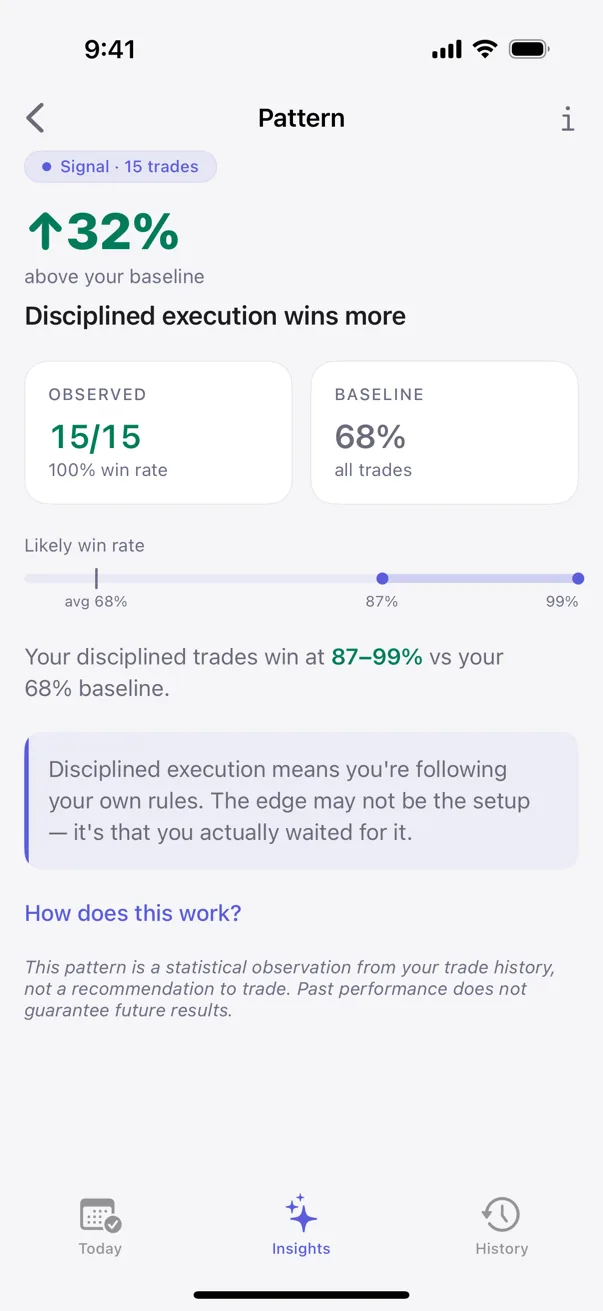
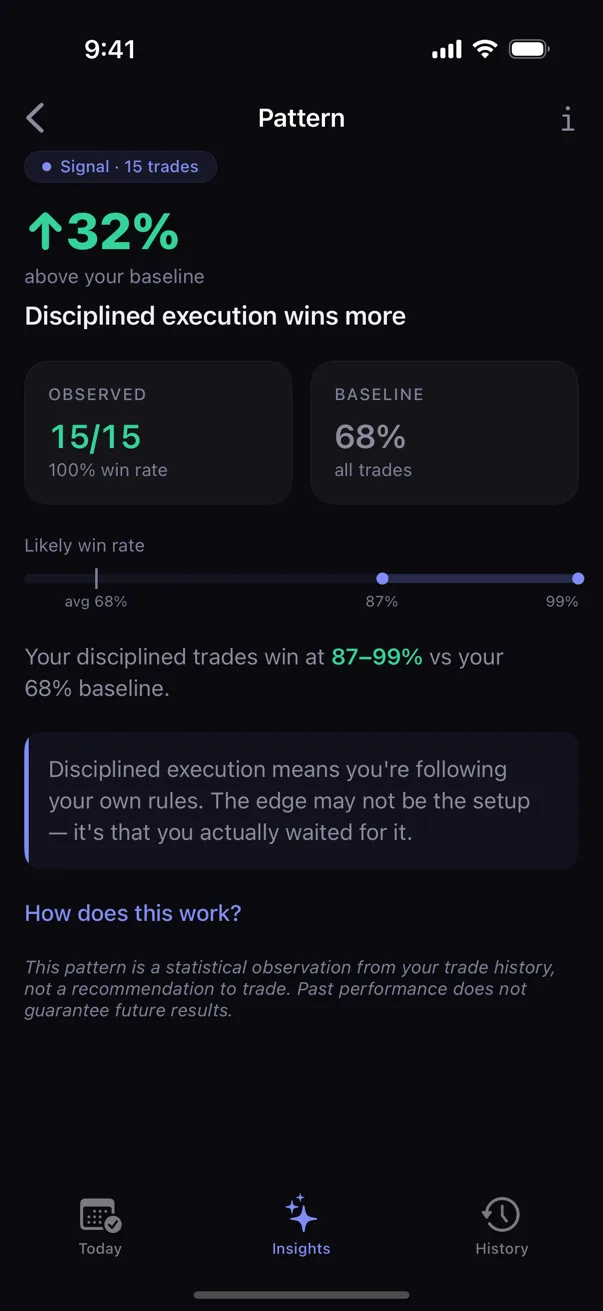
The main parts of Pattern Detail are:
- Pattern label — the evidence-maturity state.
- Above or below your baseline — how the selected group compares with your overall journal baseline.
- Observed — the wins and trades Kyra actually observed for that pattern.
- Baseline — your comparison point across all trades.
- Likely win rate — an estimated range rather than pretending one percentage is exact.
Read the page as a description of your recorded history, not as a prediction of the next trade.
5. Use the built-in explainers when a number or label is unclear
- Open a pattern.
- Tap the info button at the top right.
- Choose Pattern strength to understand the evidence labels.
- Choose How this works to read Kyra's methodology explanation and definitions for the numbers on the screen.
The methodology sheet explains that Kyra estimates how your results change when a factor is present and uses a range that can narrow as more relevant trades are logged. It also defines the edge, observed result, baseline, and likely-win-rate range directly in the app.
6. If a pattern is locked
Some pattern results may be locked depending on your plan. A locked card is still telling you that Kyra found additional evidence, but the complete pattern detail is not available on that tier. Tap the locked card if you want to see the available Premium options.
Unlocked patterns continue to work normally; you do not need Premium just to keep logging trades or building your journal.
If Insights is not showing what you expect
I logged trades but still do not see a pattern
This can be normal. Kyra waits for enough evidence around a repeated factor before surfacing a pattern. Continue logging trades and the relevant context instead of trying to force a pattern to appear.
My Insights screen changed after I edited or deleted trades
That is expected. Insights is derived from your active journal. Changing the underlying trade record can change the observations and patterns that Kyra can support.
A pattern label changed
The maturity label can change as the evidence changes. Use Pattern strength from the Pattern Detail info menu if you want the in-app explanation of the current label.
I see a percentage but I am not sure what it means
Open the pattern and compare Observed, Baseline, and Likely win rate. Then open How this works from the info menu for the definitions Kyra uses.
I expected Insights to tell me what trade to take
Kyra is a journal and self-analysis tool, not a trade-signal service. Insights describes relationships in the trades you recorded so you can review your own process.
I still do not understand what Insights is showing
Email support@kyratrading.app. Tell us which label or section is confusing and, if useful, the title of the pattern you are looking at. You do not need to send your trading history.
Verified against Kyra 1.6 (build 54), released August 20, 2026. The screenshots above are real Kyra captures from the released app surface.