The short version. If the iPhone itself is your primary journaling device, decide what you want it to optimize: private capture, automatic import, behavioral review, or a repeatable calendar habit. Kyra is the private journal-first option in this set, with manual/CSV capture and no Kyra account. It is not the only local-first architecture and it is not the right fit if broker auto-sync or a desktop web suite is the requirement.
Native iPhone field at a glance
| App | Capture / import | Storage / account | Current workflow emphasis |
|---|---|---|---|
| Kyra | Manual + CSV | On-device + optional private iCloud; no Kyra account | Journal-first capture, typed behavioral context, auditable analysis with sample/uncertainty context |
| SuperTrader | Manual + broker/file import | Account-backed | P&L calendar, screenshots, preparation/checklist, analytics, and AI-led positioning |
| UltraTrader | Broker connections + CSV | Account-backed | Multi-asset journaling, live trades, calendar, analytics, files/screenshots, and replay on paid plans |
| Plancana | Manual + selected read-only sync | Account-backed | Psychology/rule tracking, analytics, AI plans/mentor, and supported platform sync |
| P&L Ledger | Fast manual logging | Account-backed service | Week/month/year P&L calendar, drawdown, notes, analytics, multiple accounts, screenshots |
| TradeFlow | Manual on current website | Cloud sync/account | Calendar, execution and psychology tracking, analytics, AI insights on paid plans |
| Aftertrade | Manual + on-device voice-assisted draft | iPhone/personal iCloud; no Aftertrade account | Plan/execution review, screenshots, periodic summaries, private local/personal-iCloud architecture |
| Astro Trade | Manual + CSV + selected sync | Account-backed; app + web | Calendar/analytics, setups, Daily Rewind process review, active import workflow |
| Trading Journal: Trade Tracker | Manual journal workflow | Account-backed | Multi-asset log, tags, rich notes, attachments, calendar, analytics, and goals |
Every row above is a native iPhone product, but “native” does not tell you where data lives or how trades arrive. Those are separate decisions.
See Kyra's journal on iPhone
These screens show Kyra's released iPhone journal with sample trading data. The Journal has two complementary views: a searchable trade record for inspecting individual entries, and a P/L Calendar for reviewing activity by day. Neither requires a broker connection or a Kyra account.
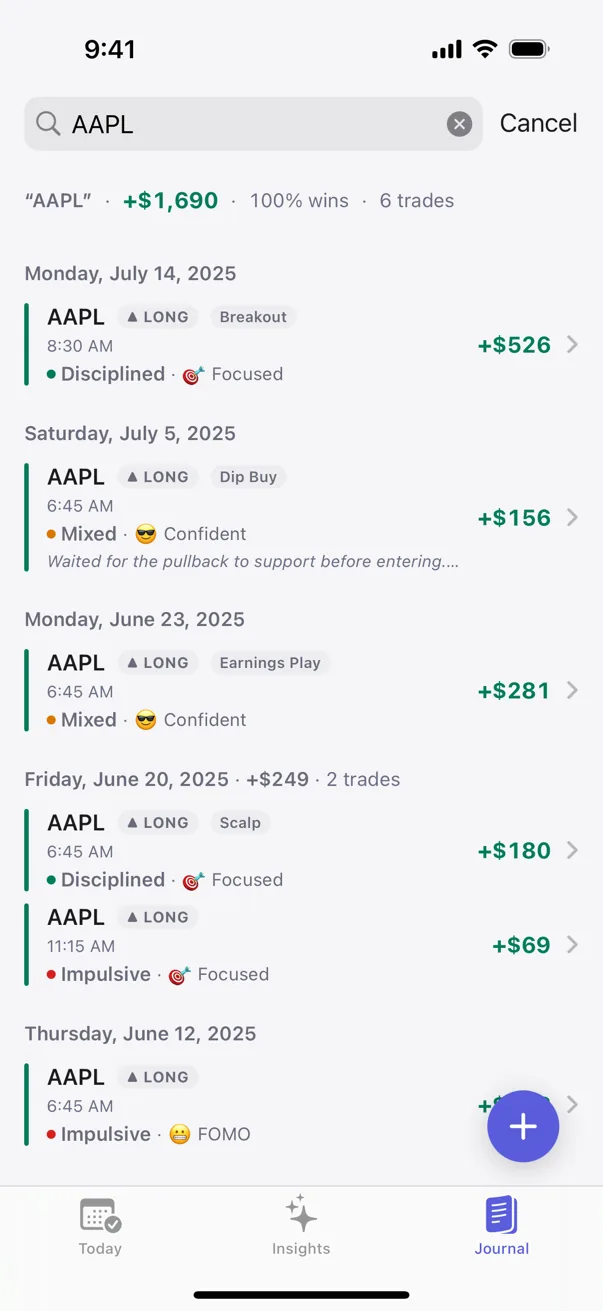
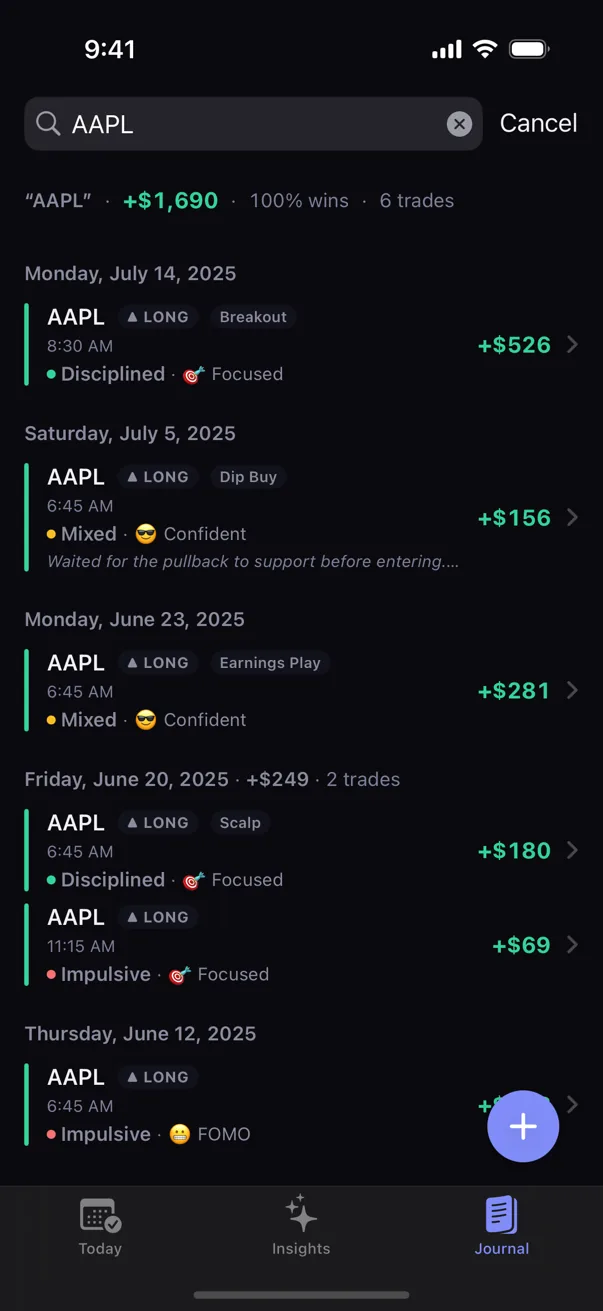
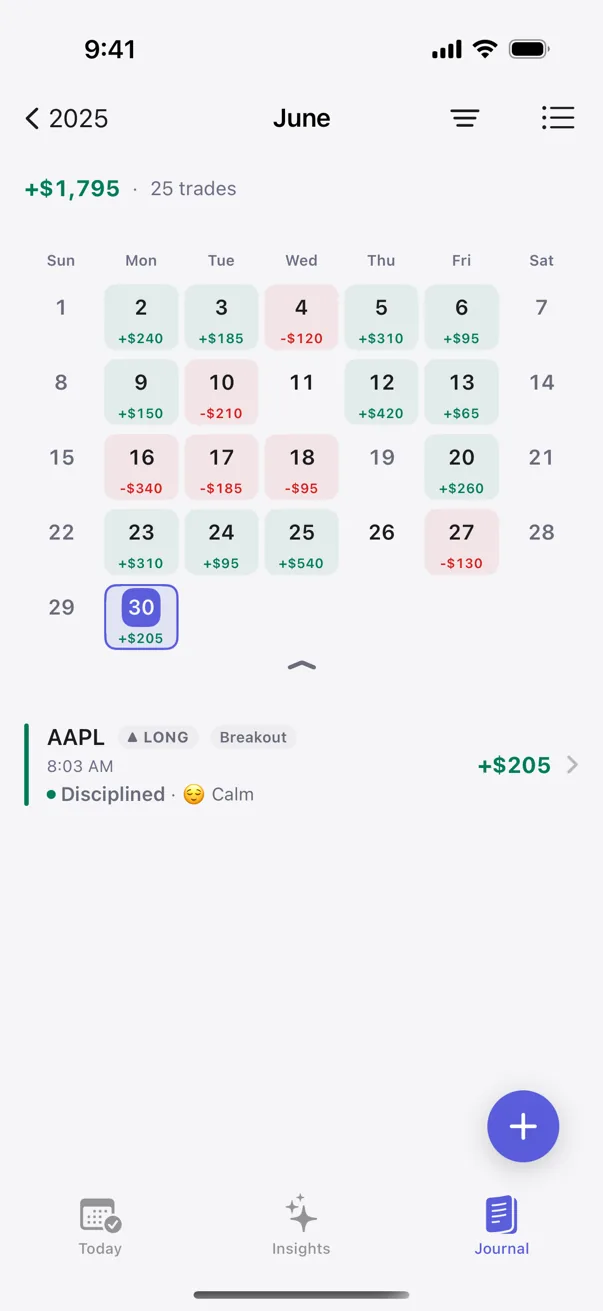
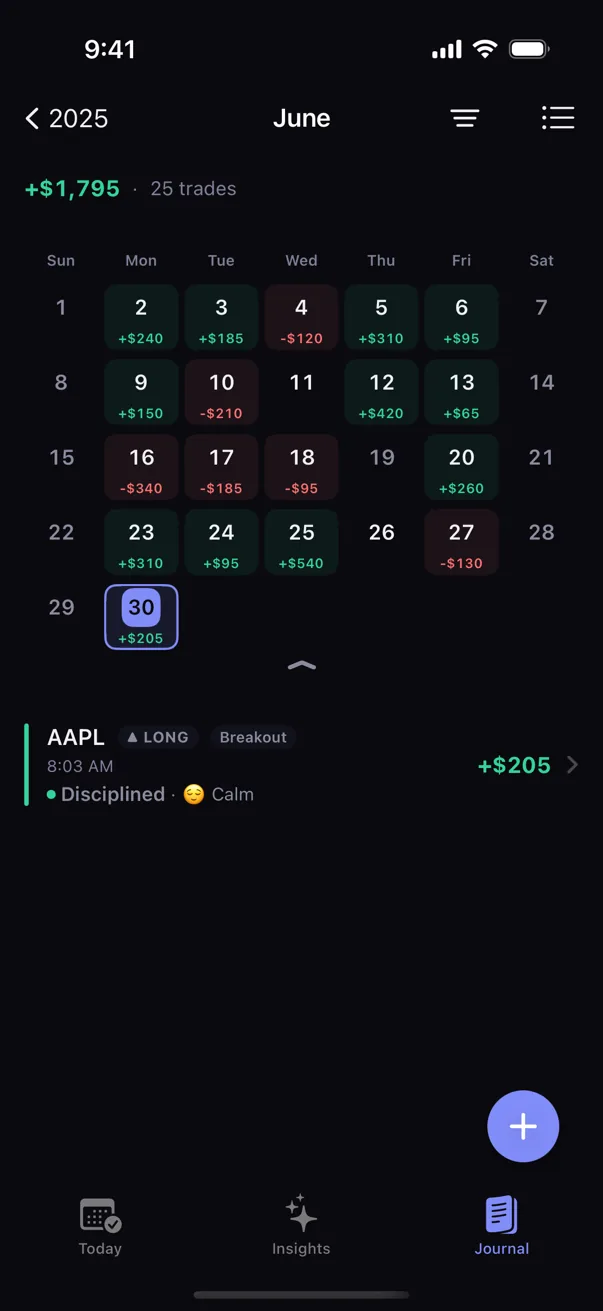
See how Kyra captures and organizes trades, or follow the Journal List and Calendar walkthrough for the actual controls. The screenshots show manual-journal workflows; broker auto-sync, replay, and a desktop web journal are not Kyra features.
If you want a local/personal-iCloud journal
Kyra and Aftertrade demonstrate two current versions of this lane. Kyra keeps its record on-device with optional private iCloud sync and requires no Kyra account. Aftertrade's public product/privacy description likewise centers on iPhone and personal iCloud rather than an Aftertrade-hosted journal account.
The important correction from older versions of this guide is that local/private architecture is not uniquely Kyra territory. Kyra's narrower differentiation is the combination of that architecture with structured behavioral evidence and analysis that keeps sample strength and uncertainty visible.
If you want imports to do the logging
UltraTrader, Plancana, SuperTrader, and Astro all provide stronger import stories than Kyra, but they should not be flattened into one “auto-sync” row. UltraTrader publishes broker-connection and CSV boundaries by plan. Plancana currently supports read-only sync for a defined platform set and manual journaling outside it. SuperTrader advertises broad broker/file imports; the exact method varies. Astro has been actively expanding and repairing CSV/broker import paths.
Kyra deliberately stays on the other side of this trade-off: manual entry or CSV import, with no broker credentials and no broker/market-data sync.
If the phone is your behavioral review tool
Plancana, TradeFlow, SuperTrader, Astro, Aftertrade, and Kyra all now touch behavior/process in different ways. Plancana and TradeFlow lean into AI-assisted interpretation. Astro's Daily Rewind emphasizes rules/process. Aftertrade layers plan-versus-execution review and periodic summaries onto a private architecture. Kyra analyzes explicitly captured behavioral context against the user's own journal and avoids AI chat or permission-to-trade judgments as the core interpretation layer.
If the calendar is the product
P&L Ledger is the clearest calendar-first fit in this cohort. It prioritizes rapid daily P&L/trade-count capture and week/month/year review, then layers analytics and richer Premium features on top. Trading Journal: Trade Tracker is broader, with yearly/monthly/daily views plus tags, rich notes, attachments, and multi-asset analytics.
If maintaining a clean daily record is more important than broker automation or an AI coach, these products deserve comparison even though their feature lists look smaller than the big analytics suites.
Where Kyra fits
You want a private journal first
You want fast native iPhone capture, no Kyra account, optional private iCloud sync, and behavioral/statistical review grounded in your own history.
You need automatic broker sync or a desktop suite
Kyra has no broker connection, no web app, no trade replay, and no AI chat mentor. A sync-first or cross-platform product above is more coherent for those jobs.
Why the verification date matters
Trading-journal products are moving quickly. TradeFlow's website and App Store surfaces currently disagree on parts of platform/pricing/privacy positioning. Plancana has expanded its sync/psychology story. UltraTrader's plan boundaries and connection counts have changed. SuperTrader's flagship listing now presents a broader review/import product than older snapshots did. We therefore date the facts instead of treating a July comparison as evergreen.
Verification notes and first-party sources
Facts in this guide were rechecked on 2026-09-23 against current provider or App Store surfaces. Check the provider again before purchase because plan boundaries and integrations change.
- SuperTrader App Store
- UltraTrader · plans
- Plancana
- P&L Ledger · plans
- TradeFlow
- Aftertrade App Store
- Astro Trade App Store
- Trading Journal: Trade Tracker App Store
Educational only. Not financial or trading advice. Kyra publishes this guide and has a publisher interest. The page describes documented workflow differences and does not name an overall winner.
For the broader web + native market, see the 2026 trading journal buyer guide. For current free plans, see the free iPhone journal guide.