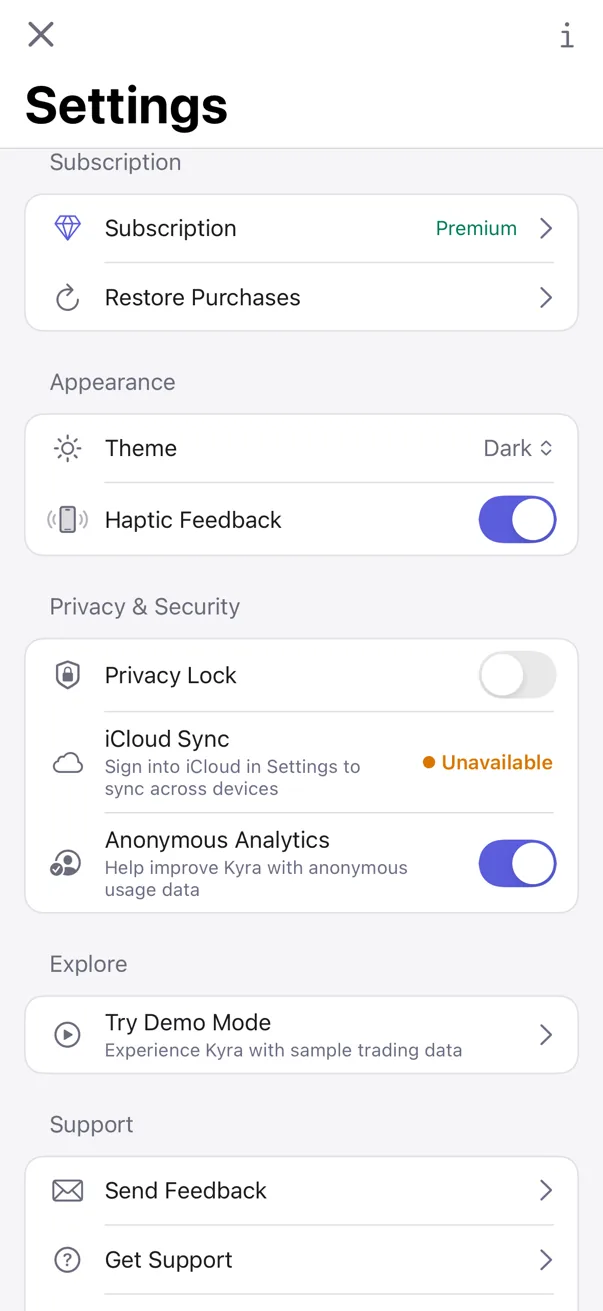
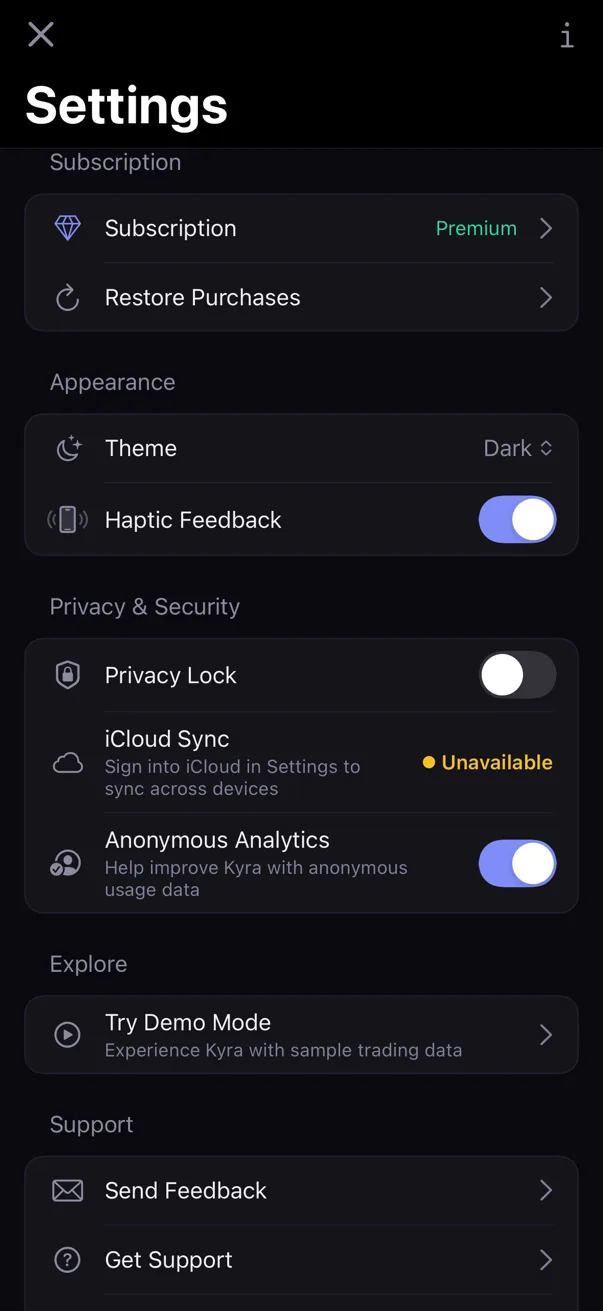
The short version: Open Today → tap the gear → use the Subscription section. If Premium is already active, tap Subscription to open Apple's subscription-management sheet. To recover an existing purchase, tap Restore Purchases.
1. Manage an active Premium subscription
- Open Today.
- Tap the gear in the top-right corner.
- Find the Subscription section.
- If Kyra currently resolves you as Premium, tap the Subscription row.
Kyra opens Apple's system subscription-management sheet. Changes to renewal or cancellation are handled there rather than by a custom Kyra account screen.
2. Restore an existing purchase
Restore Purchases is available from Settings even when Kyra currently shows the free state.
- Open Settings.
- Find Subscription.
- Tap Restore Purchases.
- Complete any App Store authentication that iOS requests.
- Wait for Kyra to finish checking the StoreKit entitlement.
Restore does not create a new subscription. Kyra asks the App Store to synchronize purchases, then checks whether an active Premium entitlement is present.
3. Understand the restore result
Kyra can finish the restore flow in four user-visible ways:
- Subscription restored — Kyra found active Premium access and reactivated it in the app.
- No Active Subscription — the synchronization completed but Kyra did not find an active subscription.
- No alert — if you cancel the App Store authentication prompt, Kyra quietly returns to Settings.
- Restore Failed — the synchronization hit a non-cancellation error. Try again.
4. If Kyra still shows the free state
Use Restore Purchases before buying again. A successful restore is authoritative: Kyra refreshes its Premium state from StoreKit rather than relying only on an older cached value.
If Kyra reports No Active Subscription and you believe an active subscription should exist, contact support@kyratrading.app. Include the Kyra app version from Settings, but do not send App Store credentials or payment details.
5. If subscription options do not load
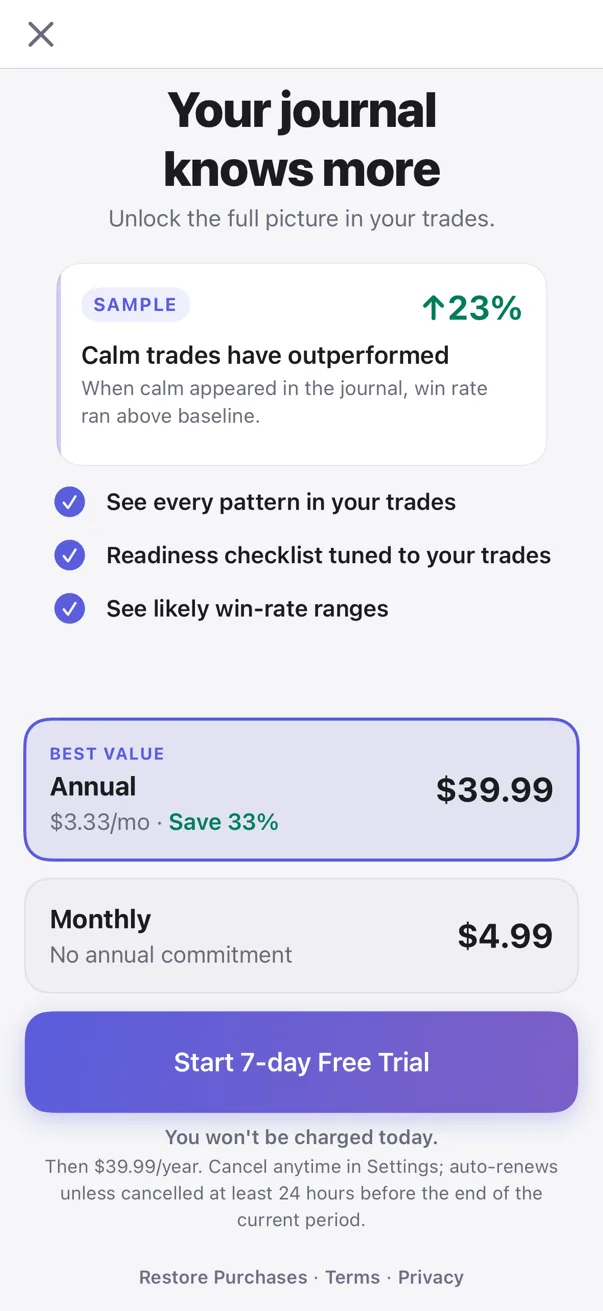
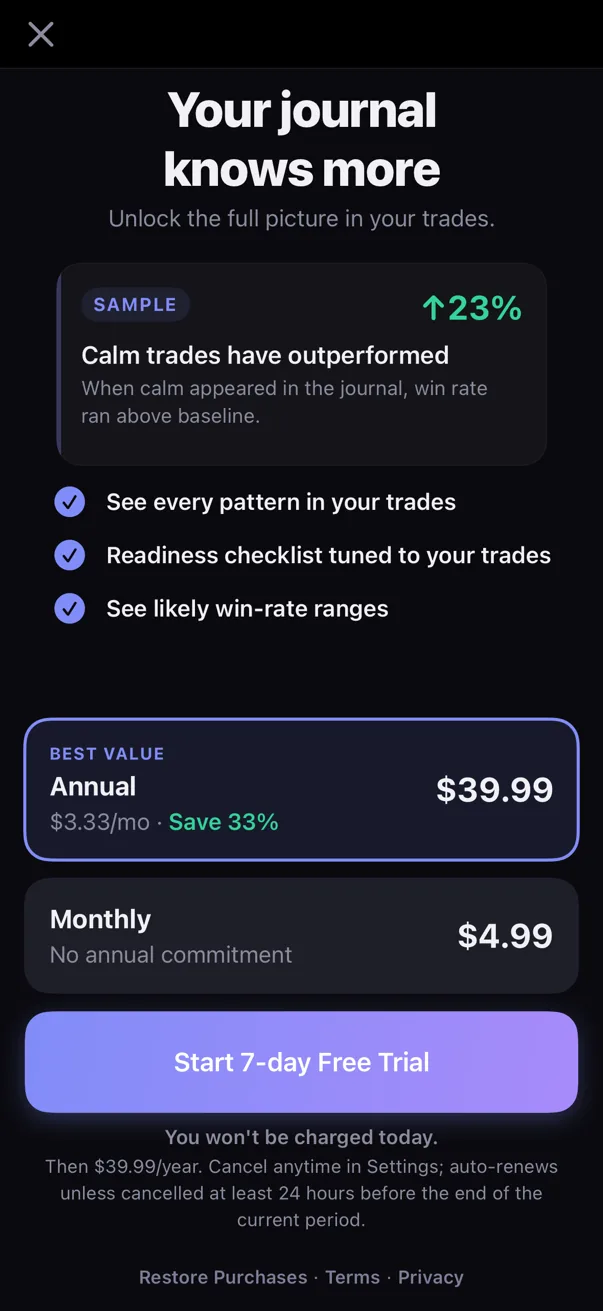
The Premium purchase screen loads its plans and prices from StoreKit. If those products are temporarily unavailable, Kyra shows a retry state instead of inventing or caching a price as if it were current.
Check your connection and try again. If the problem persists, return later or contact support.
Common questions
I cancelled the restore prompt and nothing happened
That is expected. Cancelling App Store authentication is treated as a cancellation, not as an error, so Kyra does not show a failure alert.
Restore says No Active Subscription
The App Store synchronization completed, but Kyra did not resolve an active Premium entitlement. If you believe that is incorrect, contact support instead of repeatedly purchasing.
Restore says Restore Failed
Try again. This state is reserved for an actual restore error such as an App Store, authentication, or network problem rather than a simple cancellation.
Where do I cancel or change the subscription?
If Premium is active, use Settings → Subscription → Subscription. Kyra presents Apple's subscription-management sheet, where Apple owns the subscription controls.
Verified against Kyra 1.6 (build 54), released August 20, 2026. The paired Premium Settings and paywall screenshots are real Kyra 1.6 captures in light and dark mode.